
To connect an exchange to ELIXOAI, you need to allow the system to securely interact with your exchange account through its API. This is done with an API key.
What API keys are and how they work
An API key is a pair of credentials: the API Key identifies the connection, while the Secret Key confirms that a request was sent by the key owner. The exchange verifies these credentials and performs only the actions you have authorized.
API keys allow ELIXOAI to retrieve balance and position data and place trades on your behalf. A key cannot withdraw funds unless you explicitly enable that permission at the exchange.
The essential security rule
Never enable withdrawal permissions and never share your Secret Key with anyone. ELIXOAI does not request or use withdrawal access.
1. Create a dedicated API key on the exchange
Open the API Management section on your chosen exchange and create a new key specifically for ELIXOAI. Give it a clear name, such as ELIXOAI Trading. Do not reuse one key across different third-party services.
2. Add the key to ELIXOAI
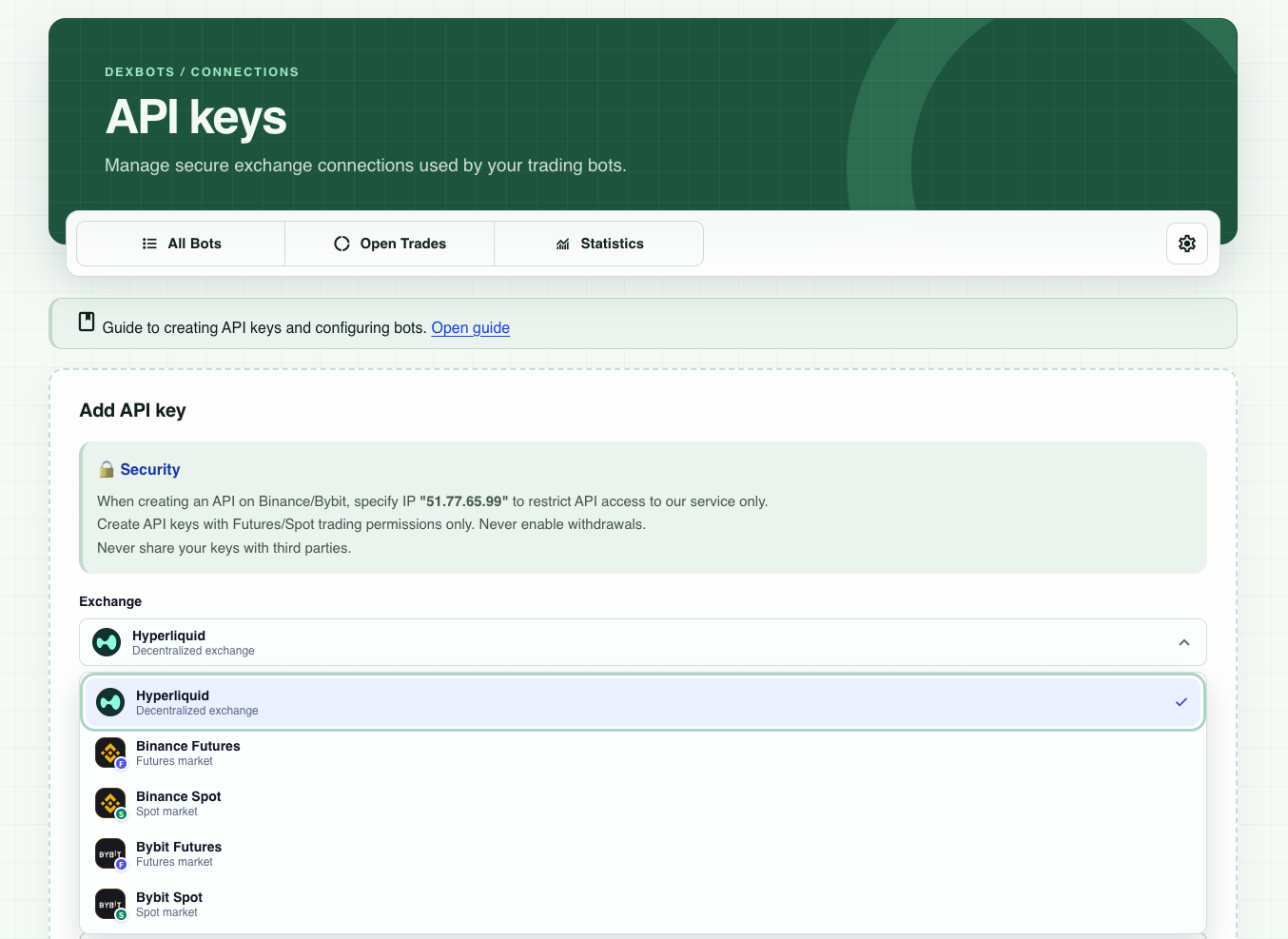
Go to the API keys page in ELIXOAI, select your exchange, and enter the API Key and Secret Key in the corresponding fields. Then save the connection.
3. Select only the permissions you need
- Allow access to balances and open positions.
- Enable spot or futures trading only for the market type you need.
- Disable withdrawals, transfers, and address-book management.
- For Binance and Bybit, set the IP restriction to
51.77.65.99to allow access only from the ELIXOAI service.
Review the permissions once more before saving the key on the exchange. If you no longer use the connection, revoke the API key in your exchange settings.
4. Verify the connection
After saving, run the connection check in ELIXOAI. If the connection fails, make sure the keys were copied without extra spaces, the correct market type and trading permissions are selected, and the IP restriction is configured correctly.
After connecting
Start with a small trading limit and confirm that trades and statuses are displayed correctly in both ELIXOAI and the exchange.